Tutor LMS Custom User Exporter Plugin

$59.00

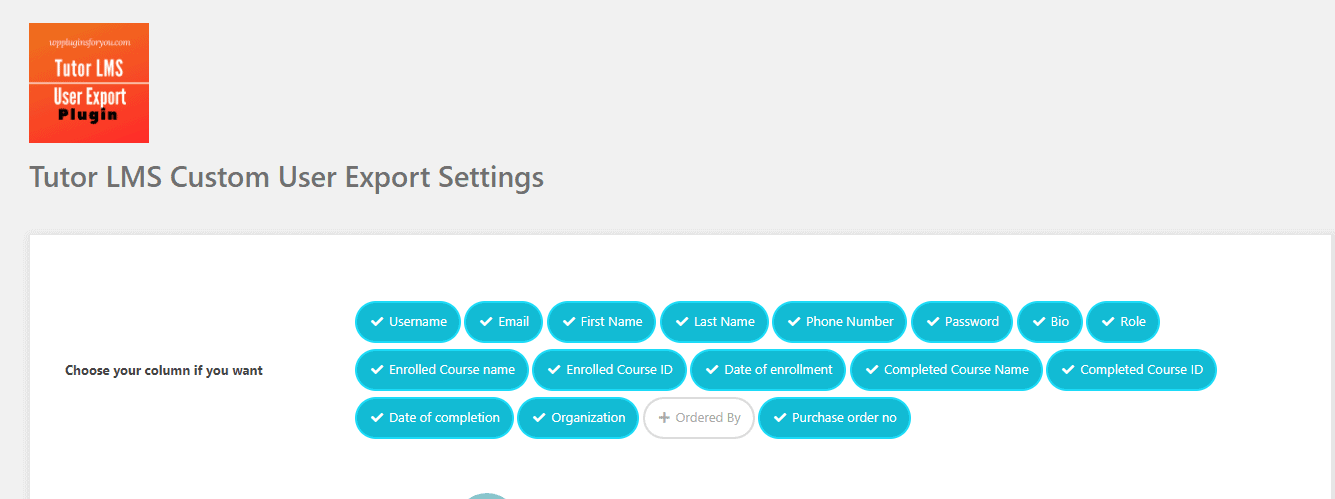
TutorLMS Custom User Exporter Plugin is the new addition to extension plugins for Tutor LMS courseware plugin. This plugin helps you to export users enrolled to your courses in a Comma Separated File (CSV) format. It is a very easy plugin. Just install the plugin, and selects the fields ( total 17 fields are if available in user profile)  you want to export .
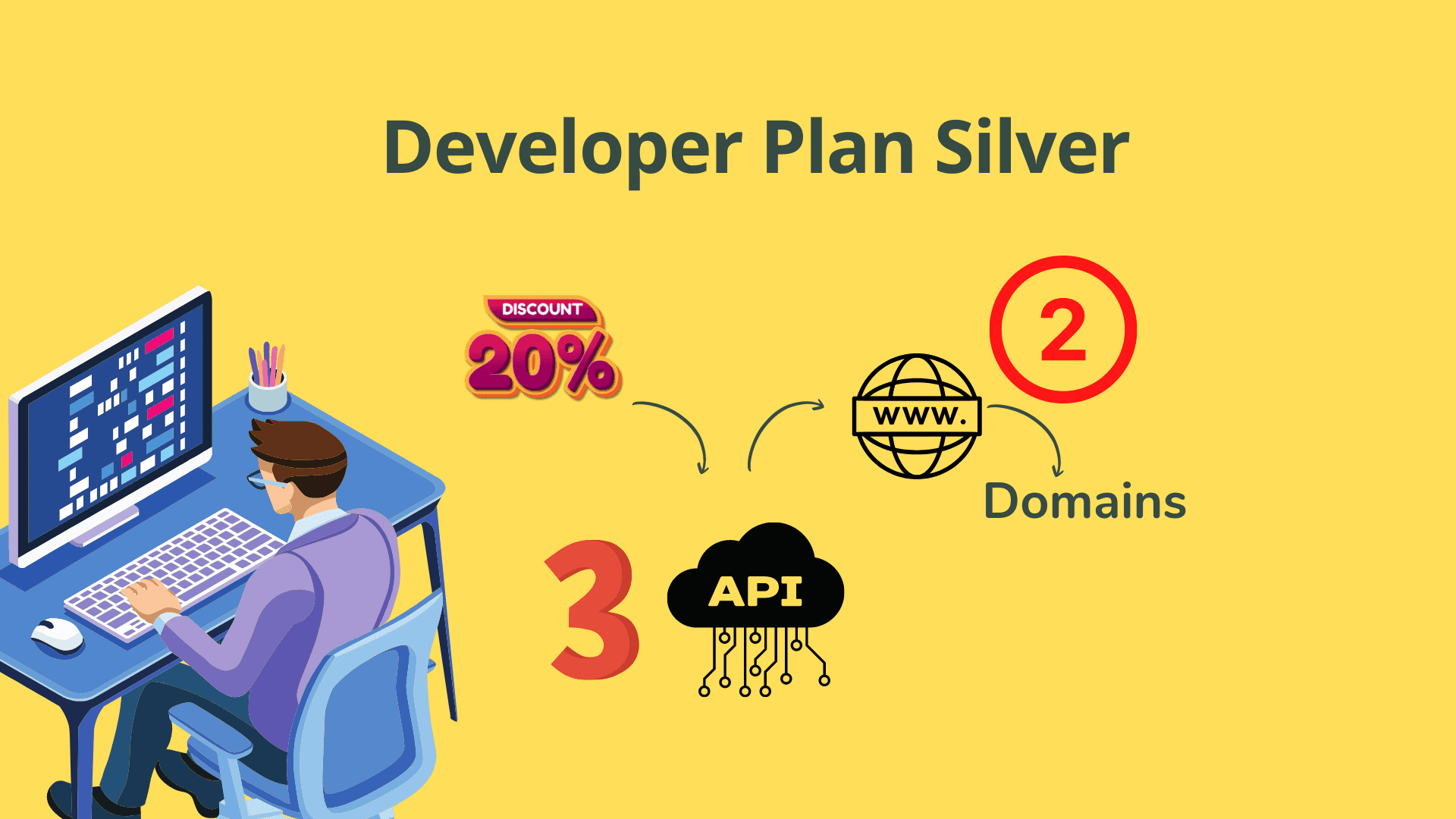
Want a discount? Become a member by purchasing Developer Plan -Silver or Developer Plan -Gold!

"

Tutor LMS Extension

Export Tutor LMS Students to CSV — instantly, effortlessly, and exactly the way you need it.

Select from 17 user profile fields and export enrolled course data in seconds. No coding required.

✓ Instant download ✓ Free updates for subscription duration ✓ Single domain licence

Watch the Plugin in Action

▶ Watch the Demo

Demo Video on Tutor LMS User Export Plugin

What you'll see in the demo

Install and activate in under a minute — no configuration maze, just instant access to export controls.

Pick any combination of 17 user profile fields with a simple checkbox interface.

Download a clean, ready-to-use CSV file compatible with Excel, Google Sheets, and every major CRM.

The problem nobody talks about

Managing Tutor LMS Student Data Is Needlessly Hard

01

😤 No built-in student export in Tutor LMS

Tutor LMS doesn't offer a native way to export enrolled student data, leaving you stuck manually copying records or juggling spreadsheets.

02

📋 Can't choose which user fields to export

Generic export tools dump everything or nothing — you need control over exactly which profile fields make it into your CSV file.

03

🔍 No visibility into enrollment and completion data

Tracking which students enrolled, when they enrolled, and which courses they completed is nearly impossible without a dedicated export tool.

Every Field You Need. Every Time.

18 powerful capabilities packed into one lightweight plugin — covering every data point Tutor LMS site owners actually need.

Tutor LMS Custom User Exporter Plugin screenshot
📤

CSV Export for Enrolled Users

Export all users enrolled in your Tutor LMS courses directly to a CSV file compatible with Excel, Google Sheets, and any CRM.

🔧

17 Selectable Profile Fields

Choose exactly which fields to include — no unnecessary data, no missing columns.

👤

User Name Field

Include the WordPress username of each enrolled student in your export.

📧

Email Field

Export registered email addresses for CRM import or direct communication.

🏷️

First & Last Name Fields

Export student names separately for clean formatting in downstream tools.

📞

Phone Number Field

Include phone numbers where available in each student's user profile.

🔑

Password Field

Export password fields when required for data migration or account management.

📝

Bio Field

Include the user bio for richer student profile data in your export.

🎭

Role Field

Distinguish between students, instructors, and other WordPress user types.

📚

Enrolled Course Name & ID

See exactly which courses each student is in, with both name and database ID.

📅

Enrollment Date Field

Track growth, cohort timing, and subscription windows with precision.

Completed Course Name & ID

Identify fully completed courses with both the human-readable name and unique ID.

🗓️

Date of Completion Field

Essential for certificates, progress auditing, and compliance reporting.

🏢

Organisation Field

Useful for B2B course sales and corporate training programmes.

🔃

Order By Field

Control record ordering to match your preferred data structure.

🛒

Purchase Order Number

Export PO numbers for billing reconciliation and accounting workflows.

🔄

Free Updates Included

All future plugin updates at no extra cost for the duration of your subscription.

🛠️

Free Support Included

Dedicated support throughout your active subscription — installation to usage.

Simple 3-step process

Up and Running in Minutes

1

Install the Plugin

Purchase and download, then install on your WordPress site just like any standard plugin. Activation takes under a minute.

2

Select Your Export Fields

Navigate to plugin settings and choose which of the 17 available user profile fields you want to include in your CSV export.

3

Export & Download Your CSV

Run the export and download a clean CSV file ready for use in spreadsheets, CRMs, or reporting tools.

Built to Be Trusted

Everything you need to buy with confidence.

Secure Checkout
Instant Access
Annual Updates Included
Support Included
No Coding Required

Straightforward pricing

One Plugin. One Price. Full Access.

$59
per domain / annual subscription
  • Export enrolled students to CSV
  • Choose from 17 user profile fields
  • Enrollment date & completion date export
  • Enrolled and completed course name + ID
  • Purchase order number and organisation fields
  • Single domain licence
  • Free updates for subscription duration
  • Free support for subscription duration

Got questions?

Frequently Asked Questions

Which version of Tutor LMS does this plugin require?

This plugin is built as an extension for the Tutor LMS courseware plugin. It requires Tutor LMS to be installed and active on your WordPress site.

How many user profile fields can I export?

You can select from up to 17 available fields, including username, email, first name, last name, phone number, bio, role, enrolled course details, completion data, organisation, order by, and purchase order number.

What file format does the export produce?

The plugin exports data in CSV (Comma Separated Values) format, which is compatible with Microsoft Excel, Google Sheets, and virtually all CRM and email marketing platforms.

Does the licence cover multiple websites?

No. Each licence covers a single domain. If you need to use the plugin on additional sites, each site requires its own separate licence.

What happens if my subscription lapses?

If your subscription expires, you will lose access to future updates and support. Plugin functionality may also be affected. Renewing your subscription restores full access to updates and support.

Is any coding knowledge required to use this plugin?

No coding is required. Simply install the plugin, select the fields you want to export from the settings panel, and download your CSV — the entire process is point-and-click.

Start Exporting Your Tutor LMS Students Today

Get instant access, choose your fields, and download your first CSV in minutes. Single domain licence with free updates and support included.

As an Amazon Associate I earn from qualifying purchases.