Sale!

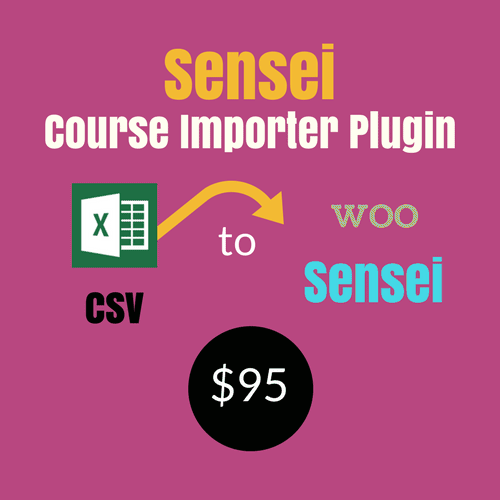
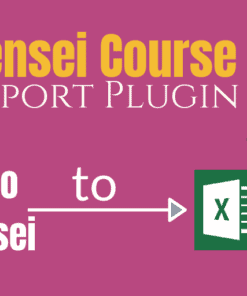
Sensei Course Importer Plugin

Original price was: $105.00.Current price is: $95.00.

Woo Sensei is a fantastic WordPress LMS plugin for creating an online course. However , creating courses one by one , with writing lessons and saving it one by one is time taking and laborious job. We have a brought a fantastic extension plugin for the Woo Sensei course-ware plugin .

So now you can use Microsoft excel to import courses, lessons and modules to Woo Sensei . Just open the special CSV template given with the plugin, fill the columns and upload to Sensei. That’s it !


Want a discount? Become a member by purchasing Developer Plan -Silver or Developer Plan -Gold!

If you've ever stared at Sensei LMS thinking "there has to be a faster way…"

You're not imagining it. Building courses one by one — entering titles, descriptions, quiz settings, and certificates manually — is exhausting. The Sensei Course Importer Plugin lets you upload a single spreadsheet and walk away with fully-configured courses, lessons, and quizzes ready to go.

✓ 26 importable fields ✓ 30-day money-back guarantee ✓ Free support & updates included
Sensei Course Importer Plugin interface screenshot
▶ Watch the Demo

Video on Sensei Course Importer Plugin Ver 1.2

▶ Watch the Demo

Video on Sensei Course Importer Plugin

See the story unfold

Watch how the plugin transforms a filled spreadsheet into a complete Sensei LMS course structure in minutes.

▶ Watch the Demo

Video on Sensei Course Importer Plugin Ver 1.2

Watch how the Sensei Course Importer changes the way you build courses

A closer look at the full import flow

From template download to live course — every step shown in real time.

▶ Watch the Demo

Video on Sensei Course Importer Plugin

Every feature, every field — exactly how it works inside WordPress

Here's what we hear every day:

From course creators just like you, before they found a better way.

Creating courses manually is painfully slow

Writing and saving each course, lesson, and module one by one in Sensei LMS wastes hours of your time that could be spent on teaching.

😓

No bulk import option in Sensei LMS out of the box

Sensei LMS has no native way to import multiple courses at once, forcing you to repeat the same tedious process for every single course you build.

📋

Complex course structures take forever to configure

Setting up quizzes, pass marks, certificates, video links, featured images, and lesson complexity for every lesson individually is an error-prone nightmare.

Here's what changes everything:

The Sensei Course Importer Plugin connects Microsoft Excel (CSV) directly to your Sensei LMS. Fill in a pre-built template with your course data and upload it — your courses, lessons, modules, and quiz settings are created automatically. With 26 importable fields in version 1.2, you configure everything from a single spreadsheet.

📊

26-Field CSV Import

Import 26 distinct fields in one upload, covering every major aspect of a Sensei course including titles, descriptions, categories, videos, quizzes, and certificates.

🎓

Course Title & Description

Set the full course title and detailed course description directly from your spreadsheet without touching the WordPress editor.

🗂️

Categories & Associated Modules

Assign course categories and link lessons to the correct modules during import, keeping your course structure organised automatically.

🖼️

Course & Lesson Featured Images

Specify featured images for both courses and individual lessons in the CSV so your content looks polished from the moment it goes live.

🎬

Course & Lesson Video Support

Include video URLs for both course-level and lesson-level videos directly in the import template.

📝

Lesson Title, Description & Excerpt

Populate each lesson with a title, full description, and optional excerpt — all handled in bulk through the spreadsheet.

🏷️

Lesson Tags & Complexity Level

Tag lessons and assign complexity levels during import to help learners understand what to expect before they begin.

⏱️

Lesson Length

Define the estimated length for each lesson so students can plan their learning schedule effectively.

📤

Publish or Draft Status

Control whether each course and lesson is published immediately or saved as a draft, settable independently for courses and lessons.

Quiz Configuration — Questions & IDs

Add existing questions by ID and specify the total number of questions per quiz, all from within the CSV template.

Pass Required & Passmark Percentage

Set whether passing a quiz is required to complete a lesson and define the exact passmark percentage per lesson quiz.

🔢

Number of Questions to Show

Control how many questions are displayed to learners per quiz attempt directly from the import sheet.

🔀

Randomise Question Order

Enable or disable randomised question ordering per quiz at import time, creating a more secure assessment environment.

🤖

Auto-Grade Quizzes

Configure quizzes to be graded automatically so learners receive instant feedback without manual instructor intervention.

🔁

Allow Quiz Retakes

Specify per lesson whether learners are permitted to retake the quiz, giving you full control over your assessment policy.

🏅

Certificate ID Assignment

Link a certificate to a course by entering its ID in the spreadsheet, automating certificate delivery upon course completion.

📁

Pre-Built Import Template

A ready-to-use Excel/CSV template is downloadable directly from the plugin's settings page, so you can start filling in data immediately.

🔑

Single-Domain API Licence

Each purchase includes an API licence for one domain, with a one-time transfer option available if you move from a staging site to a live site.

Your journey starts here

1

Install the Plugin & Download the Template

Upload the Sensei Course Importer Plugin via your WordPress Admin. Navigate to the plugin's settings page and download the pre-built CSV import template — it's all ready and waiting for your data.

2

Fill the Spreadsheet with Your Course Data

Open the template in Microsoft Excel or any CSV editor. Fill in up to 26 columns including course details, lesson settings, quiz configuration, and certificate IDs — at your own pace, in a familiar environment.

3

Upload & Import to Sensei LMS

Upload your completed CSV file through the plugin interface. Your courses, lessons, modules, and quiz settings are created automatically inside Sensei LMS — in seconds, not hours.

Built on a foundation you can trust

Every purchase comes backed by our commitment to your success — from the moment you install to long after you go live.

🔒 Secure Checkout
⚡ Instant Plugin Access
🔄 Annual Updates Included
🙋 Support Included
💸 30-Day Money-Back Guarantee

One decision that changes everything

A straightforward annual subscription — no hidden fees, no surprises.

$95

per year — annual subscription

  • You get 26 importable fields per upload
  • You get bulk course & lesson creation in one go
  • You get full quiz & passmark configuration
  • You get automated certificate ID assignment
  • You get a pre-built CSV import template, ready to use
  • You get a single-domain API licence
  • You get free support while your subscription is active
  • You get a 30-day full refund guarantee, no questions asked

Your questions, honestly answered

Which version of Sensei LMS and WordPress does this work with?

The plugin has been tested with WordPress 5.5.1 and Sensei LMS version 3.5 and above. If you're running a reasonably up-to-date setup, you're covered.

How many courses can I actually import in one go?

You can import multiple courses, lessons, and modules in a single CSV upload. The template supports 26 fields per row, allowing you to build fully configured courses in one go — as many as your spreadsheet contains.

Is this a one-time payment or do I pay every year?

This is an annual subscription priced at $95 per year. Your licence includes free support and updates for as long as your subscription remains active — so you're always running the latest version.

Can I use this on more than one website?

Each licence covers one domain. If you need to move from a staging site to a live site, you can email support to request a one-time free licence transfer — no extra charge.

What if it simply doesn't work for my setup?

A 30-day full refund guarantee is included with every purchase. If the plugin does not meet your needs within 30 days, you can request a complete refund — no awkward questions, no hassle.

Do I need to be technical to use this?

Not at all. You fill in a pre-built Excel/CSV template with your course data, upload it through the WordPress admin, and the plugin handles the rest. If you can use a spreadsheet, you can use this plugin.

Build Your Entire Course Library in One Upload

Stop spending hours on manual course creation. Get the Sensei Course Importer Plugin today and go from spreadsheet to live Sensei LMS courses in minutes.

As an Amazon Associate I earn from qualifying purchases.