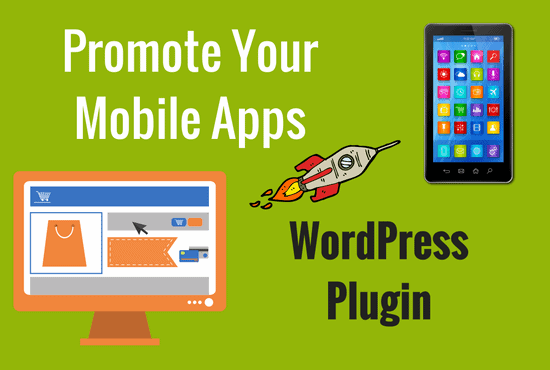
WordPress Plugin
“Turn Visitors Into App Downloads Automatically”
Smart device detection redirects Android users to Google Play, iPhone users to the App Store, and Windows Phone users to Windows Store — all from one WordPress plugin. No code. No guesswork. Just continuous app growth.
Watch the Plugin in Action
See how the plugin detects devices and delivers the perfect app promotion experience in real time.
Promote Your App or PWA Sites
One Plugin, Every Platform
Automatically serves the right experience — Smart App Banner, branded popup, or QR code — based on the visitor's device.
Zero Developer Time Required
Configure everything from your WordPress dashboard. Smart App Banners, deep links, PWA manifests — handled automatically.
Built-In Analytics & A/B Testing
Track impressions, conversions, and platform breakdowns, and test different messages to maximise your download rate.
The problem nobody talks about
Your website visitors could be your best app acquisition channel. They’re not.
🌊 Your app is drowning in a sea of competitors
Without active promotion, your app gets zero visibility — even among your own website visitors who are already interested in your content.
📵 Your visitors leave without ever knowing your app exists
Every visitor who bounces without downloading is a missed acquisition. Your site should be your #1 app promotion channel, but it isn't.
🔧 Smart app promotion usually requires a developer
Configuring Smart App Banners, Play Store popups, QR codes, and PWA manifests normally means custom code — this plugin handles it all without touching a line.
Every Tool You Need to Promote Your App
One plugin. Thirteen powerful features. Zero coding required.
Automatic Device Detection
Detects whether a visitor is on Android, iPhone, or Windows Phone and redirects them to the correct app marketplace — Google Play, Apple App Store, or Windows Store — without any manual setup.
🍎Apple Smart App Banner (iOS)
On iPhone, visitors see Apple's native Smart App Banner — the most trusted and highest-converting iOS app prompt, displayed automatically without custom code.
🤖Branded Android Popup
Android visitors see a fully branded popup featuring your app icon, headline, and custom call to action — designed to match your brand and drive Play Store downloads.
🔗Deep Link Support
Returning users who already have your app installed are opened directly inside it. Users without the app fall through automatically to the store listing.
💻Desktop QR Code Promotion
Desktop visitors see a scannable QR code that opens your app store listing on their phone — a promotion method no native banner can replicate.
PWA Mode with Auto-Generated Manifest
Automatically generates your Web App Manifest and service worker, making your WordPress site installable on Android and addable to the iPhone home screen.
Offline Fallback Page
Installed PWA users get a branded offline fallback page when connectivity drops — your brand experience instead of a generic browser error.
iPhone PWA Step-by-Step Install Guide
Displays a clear step-by-step guide walking iPhone users through adding your site to their home screen, since Apple doesn't allow automatic PWA installs.
Smart Timing & Targeting Controls
Control when prompts appear, required page views, dismissal snooze duration, and exactly which pages display them — no code required.
Page-Level Exclusions & URL Targeting
Exclude pages like checkout from showing prompts, and target only the URLs where promotion makes the most sense for your audience.
A/B Testing
Test two different messages head-to-head to discover which copy, headline, or call to action drives more app downloads across your audience.
Built-In Analytics Dashboard
Track impressions, conversions, dismissals, and platform breakdown — iOS, Android, and PWA installs — directly inside your WordPress dashboard.
Single-Domain API Licence
Each purchase includes an API licence for one live domain. Need staging? Email support for a one-time additional API key at no extra cost.
Up and Running in Three Steps
No developers. No custom code. Just install, configure, and watch the downloads roll in.
Install & Activate the Plugin
Upload the plugin to your WordPress site, activate it, and enter your single-domain API licence key. Setup takes minutes.
Connect Your App Listings & Configure Targeting
Add your Google Play, App Store, and Windows Store URLs, upload your app icon, set your headline and CTA, then configure timing rules and page targeting.
Let the Plugin Promote Your App Automatically
The plugin detects each visitor's device and serves the right experience — Smart App Banner, branded popup, QR code, or PWA prompt — 24/7/360.
Trusted, Secure & Fully Supported
Everything you need to buy and deploy with complete confidence.
One Plugin. One Price. Complete App Promotion.
Everything included. No upsells. No monthly fees.
Promote Your App Plugin
single-domain licence
Frequently Asked Questions
Everything you need to know before you buy.
Does the plugin work for all three platforms — Android, iPhone, and Windows Phone?
Yes. The plugin automatically detects the visitor's device and redirects Android users to Google Play, iPhone users to the Apple App Store, and Windows Phone users to the Windows Store download page.
What is PWA mode and do I need an app to use it?
PWA (Progressive Web App) mode turns your WordPress site itself into an installable app. The plugin auto-generates your Web App Manifest and service worker. No native app is required to use this feature — it works with your existing website.
How does the single-domain licence work?
Each purchase grants an API licence for one live domain. If you need to test on a staging environment before going live, you can email support to request a one-time additional API key for staging at no extra cost.
Can I control which pages show the app promotion prompt?
Yes. You have full control over timing and targeting — set required page views before the prompt appears, configure dismissal snooze durations, target specific URLs, and exclude pages like checkout entirely. No coding needed.
What does the A/B testing feature do?
You can test two different messages or calls to action against each other. The analytics dashboard shows impressions, conversions, and dismissals broken down by platform — iOS, Android, and PWA — so you can identify the highest-converting copy.
What happens to installed PWA users when they go offline?
Installed PWA users see a branded offline fallback page you control, rather than a generic browser error — keeping your brand experience intact even without an internet connection.
Start Promoting Your App to Every Visitor — Automatically
One plugin. Every platform. Smart device detection that turns your WordPress traffic into app downloads around the clock.


Reviews
There are no reviews yet.