If you've ever spent hours copy-pasting LearnDash questions into a Word doc just to hand out a test…
You already know the frustration. You've built a rich quiz library inside LearnDash — and when exam day comes, you're stuck doing everything manually. There's a better way.
See the story unfold
Watch it in action — from quiz selection to a print-ready document in minutes.
Learndash Question Setter Plugin Demo
Watch how the LearnDash Question Setter changes the way you create exam papers.
Here's what we hear every day:
🖨️ "My quizzes are all in LearnDash but I can't print anything."Your carefully built quiz bank lives inside LearnDash but there's no native way to print or distribute questions for a classroom or in-person exam.
📄 "I spent three hours reformatting questions into Word last week."Copying and formatting questions by hand is tedious, error-prone, and eats into time better spent on teaching.
🏫 "We run in-person exams but our content is all online."Training institutes and schools need physical question papers for supervised exams, but their LearnDash content is completely inaccessible offline.
Here's what changes everything:
The LearnDash Question Setter Plugin gives site admins a dedicated tool to pull questions directly from any quiz, set the number to include, and export a polished document — without leaving WordPress.
Whether you run a school, a corporate training institute, or an online academy that also delivers in-person assessments, your existing quiz library becomes a ready-to-print exam paper in seconds.
Native LearnDash Integration
Works directly with your existing LearnDash installation, accessing quizzes already assigned to your courses without any data migration. No setup headaches — just activate and go.
Quiz-Specific Question Selection
Choose questions from a particular quiz, giving you precise control over which question bank each exam paper draws from. Every paper is purposeful and on-topic.
Configurable Question Count
Set exactly how many questions appear on the exported paper, letting you tailor the length of the exam to your time slots and curriculum requirements. Perfect for 10-question tests or 100-question finals.
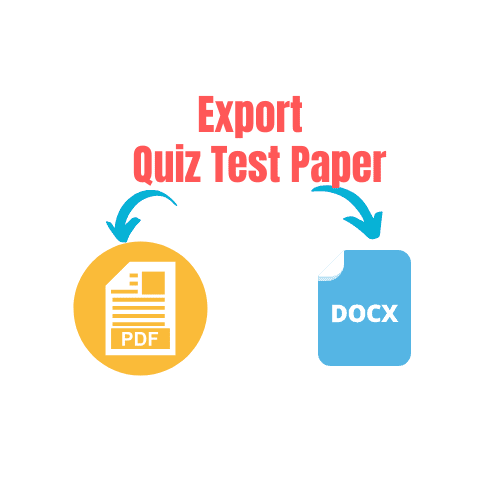
PDF Export
Generate a print-ready PDF of the question paper instantly, suitable for photocopying and distributing to students in a physical exam setting. Clean, consistent formatting every time.
DOCX Export
Export the question paper as a Microsoft Word DOCX file so you can make last-minute edits, apply your institution's branding, or archive it for future use. Full editorial flexibility.
Offline Exam Support
Bridges the gap between your online LearnDash courseware and in-person supervised exams at schools or training institutes. Your digital content works in the real world now.
Admin-Only Controls
All question-setting and export functionality is managed from the WordPress admin panel, keeping the tool secure and accessible only to authorised staff. Students never see a thing.
Fast Paper Generation
Produces formatted question papers in minutes rather than hours, eliminating the manual effort of building exam documents from scratch. More time teaching, less time formatting.
Your journey starts here
Select a Quiz
From the WordPress admin panel, open the Question Setter tool and choose the LearnDash quiz you want to draw questions from. Every quiz in your library is right there — no hunting around.
Set Your Question Count
Enter the number of questions you want to appear on the exam paper and confirm your selection. Whether it's 10 or 100, the plugin handles it cleanly — no fuss, no limits.
Export PDF or DOCX
Click export to instantly download a formatted PDF or DOCX question paper ready for printing and distribution. Hand it to your copier and walk into the exam room confident.
Built with educators in mind
The LearnDash Question Setter is designed to slot into your existing workflow — no extra tools, no subscriptions, no fuss.
One decision that changes everything
Stop spending hours on manual exam paper creation. One payment. Every quiz in your library. Unlimited papers.
- You get full LearnDash quiz integration
- You get question selection from any quiz
- You get a configurable number of questions per paper
- You get instant PDF export for printing
- You get DOCX export for editing and branding
- You get secure admin panel controls
- You get offline exam paper generation
- You get all of this for a single annaual subscription
Your questions, honestly answered
Does this work with all versions of LearnDash?
The plugin is built as an extension for the LearnDash courseware plugin. We recommend checking the plugin documentation or contacting support to confirm compatibility with your specific LearnDash version before purchasing.
Can I choose exactly which questions appear on the paper?
You select the quiz to draw from and set the number of questions to include. The plugin pulls questions from that quiz's question bank based on your count setting, giving you control over scope and length.
What file formats can I export the question paper in?
You can export as a PDF for immediate printing or as a DOCX (Microsoft Word) file for further editing, branding, or archiving before distribution.
Is this a one-time purchase or will I be charged again?
The subscription purchase is for one domain use only. Each purchase grants an API licence for one live domain.
Will my students notice anything different?
Not at all. The plugin operates entirely within the WordPress admin panel and is completely invisible to students. It simply generates offline documents from your existing quiz content.
Can I use the exported papers for multiple classes or exam sessions?
Yes. You can generate as many question papers as you need from any quiz in your LearnDash library, making it ideal for repeated use across different classes, cohorts, or exam sessions throughout the year.